
ACCOUNT
Account access
Check the phone verification prompt and profile fields before opening the lobby. The account area also shows where to return when you change devices or need help with an access step.
h5 lobby puts Auto Roulette, 368slot, Mega Fishing and football markets behind one account, with wallet status kept visible on smaller screens.
Access is available only where local law permits.
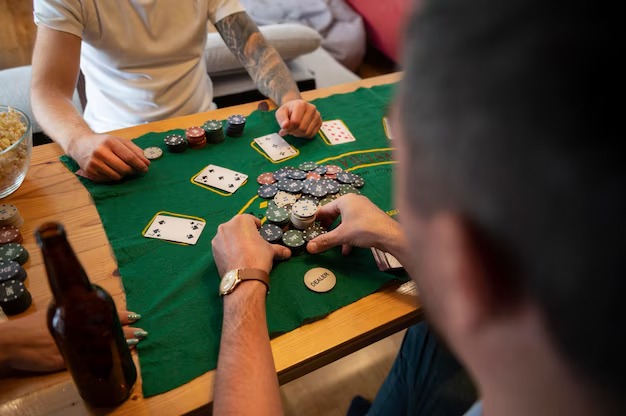

Casino rooms appear first, followed by live tables, fishing titles and sportsbook links arranged for quick switching from the Home screen.
Pragmatic Play, PG Soft and Habanero appear beside other recognisable studios, giving you direct category paths from Home to their available titles.
The Home cashier presents Indonesian wallet and bank routes in one account area.
Several Home links answer practical questions before you enter a game. The account area explains phone verification, the cashier displays wallet and bank routes, category pages separate tables…
Check the phone verification prompt and profile fields before opening the lobby. The account area also shows where to return when you change devices or need help with an access step.

Open the cashier from Home to see whether DANA, OVO, GoPay or QRIS is available for the selected action. Each status remains tied to your account rather than a game page.

Use the casino category to separate live baccarat, blackjack, Dragon Tiger and Auto Roulette from slot rooms. This keeps dealer tables visible without placing every title in one crowded feed.

The sportsbook link opens football, badminton and basketball markets from the main navigation. You can return to casino categories through Home instead of opening a second account or wallet.
The Home screen shows the account route before you choose a game. Start with your phone number, complete the displayed verification step and enter through the…
Choose the account option on Home, enter the requested phone details and complete phone verification. We show each required field before account access, reducing confusion between creating an account and returning to one.
Your account menu places profile details, wallet status and verification prompts together. Check that your phone details match before using the cashier, because mismatched details can delay a withdrawal status check.
The Home categories lead to slots, live baccarat, Auto Roulette, Dragon Tiger, blackjack, fishing rooms and sportsbook markets for football, badminton and basketball. Availability can vary by account access.
Use your own phone number, keep verification codes private and close your session on a shared device. Our Home account menu gives you a direct route to support when access activity looks unfamiliar.
On a phone, Home condenses account access, wallet status and game categories into one vertical route.

Safe account use starts with the access choices shown on Home. Register with your own phone details, complete the verification prompt and never share a one-time code through…
A single Home route reduces the need to search unrelated pages for casino titles, sports categories or wallet status.
Home presents the phone verification and account entry path used for the current session. A saved external link may skip context, open an old destination or leave you unsure which account step comes next.
The cashier status belongs to your active account and selected rail. A payment image shared elsewhere cannot show whether DANA, OVO, GoPay or QRIS is available for your current action.
Casino, slots, live tables, fishing rooms and sportsbook markets have separate Home links. Scattered recommendations often mix these areas, making it harder to locate Auto Roulette or Mega Fishing directly.
The Home help link connects your question to the account and cashier context you can see. Contact details copied elsewhere may be incomplete or detached from the status you need checked.
Footer links keep account terms, privacy details and regional access wording available from the same page. Printed or shared summaries may not reflect the conditions currently displayed for your session.
Phone, tablet and computer layouts retain the same main destinations even when their arrangement changes. External bookmarks can land deeper in the catalogue and make returning to account controls less direct.
Game data can differ by title, studio and session rules, so Home sends you to the relevant game card rather than presenting one figure for the entire catalogue.

Open the title card to check any studio-provided return data, feature rules and stake range.
Read the table rules and available side-bet details before joining a streamed dealer table.

Check wheel rules, bet types and table range in the room details before placing a selection.
Use the game panel to understand controls, credit use and title-specific scoring before starting.
Market prices and settlement rules appear in the sports area rather than the casino data panel.
RTP percentages are informational reference values from provider documentation. Actual session outcomes vary.
Our Home screen is designed for access across Indonesia, including phone browsing from Medan, with Indonesian wallet names and account steps kept visible. Availability depends on local law, your location and the access checks shown when you open the site. We do not use a city list to imply eligibility. Check the regional wording, account requirements and available cashier rails displayed for your session before creating an account or entering a game category.
The most useful Home elements remain visible before you settle on a game.
Search narrows the slot area without mixing in sports markets or live tables. Use a title such as 368slot, liga363 or rocketplay to check whether a matching card is available.
A separate live casino route places baccarat, blackjack, Dragon Tiger and Auto Roulette together. This keeps streamed dealer rooms reachable without making you move through the slot catalogue.
Football, badminton and basketball markets sit behind the sportsbook destination. You can return to the casino Home categories while keeping the same account and visible wallet context.
Phone verification, profile prompts and session controls appear under the account route. Check this area first when changing devices or when the lobby does not open after an access step.
The cashier gathers DANA, OVO, GoPay, QRIS, virtual account and bank transfer routes. Status labels help you identify whether the next action belongs to us or the selected provider.
Support sits near account actions, while policy links stay in the footer. Together they give you a route for immediate status questions and a place to read account conditions.
These answers focus on opening and using the h5 lobby Home screen in Indonesia. They cover account access, category navigation, local wallet visibility, mobile behaviour, support and regional availability. Check the current labels on your own session because game cards, provider availability and cashier status can change. When a displayed step differs from an old bookmark or screenshot, return to Home and follow the account, cashier or help route shown there.
Begin with the account row if you need to create or verify access, then return to Home and choose casino, slots, live tables or sportsbook.
Open the account route from Home, enter your phone details and complete the displayed verification prompt.
Select slots, live casino, fishing or sportsbook before using search.
Choose the required local rail and follow only the fields displayed for it.
Use the Home support route while the issue is still visible.